Manage the whole pentest.
Recon to report.

Raven is a complete pentest framework — recon, findings, evidence, and reporting in one place. Download it and run your whole engagement today, right on your machine.

Download and run in minutes Docker or standalone CLI Runs entirely on your machine

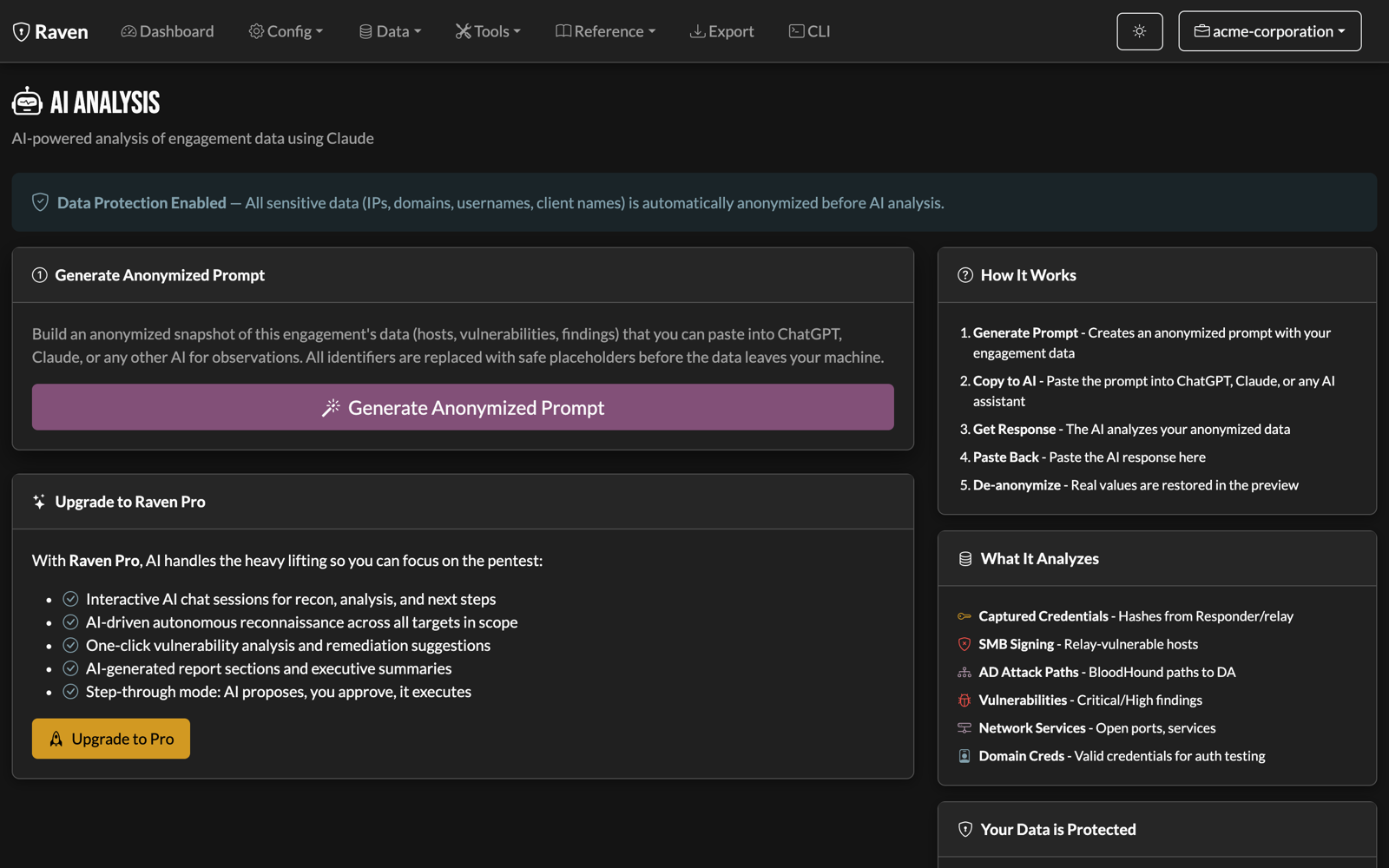
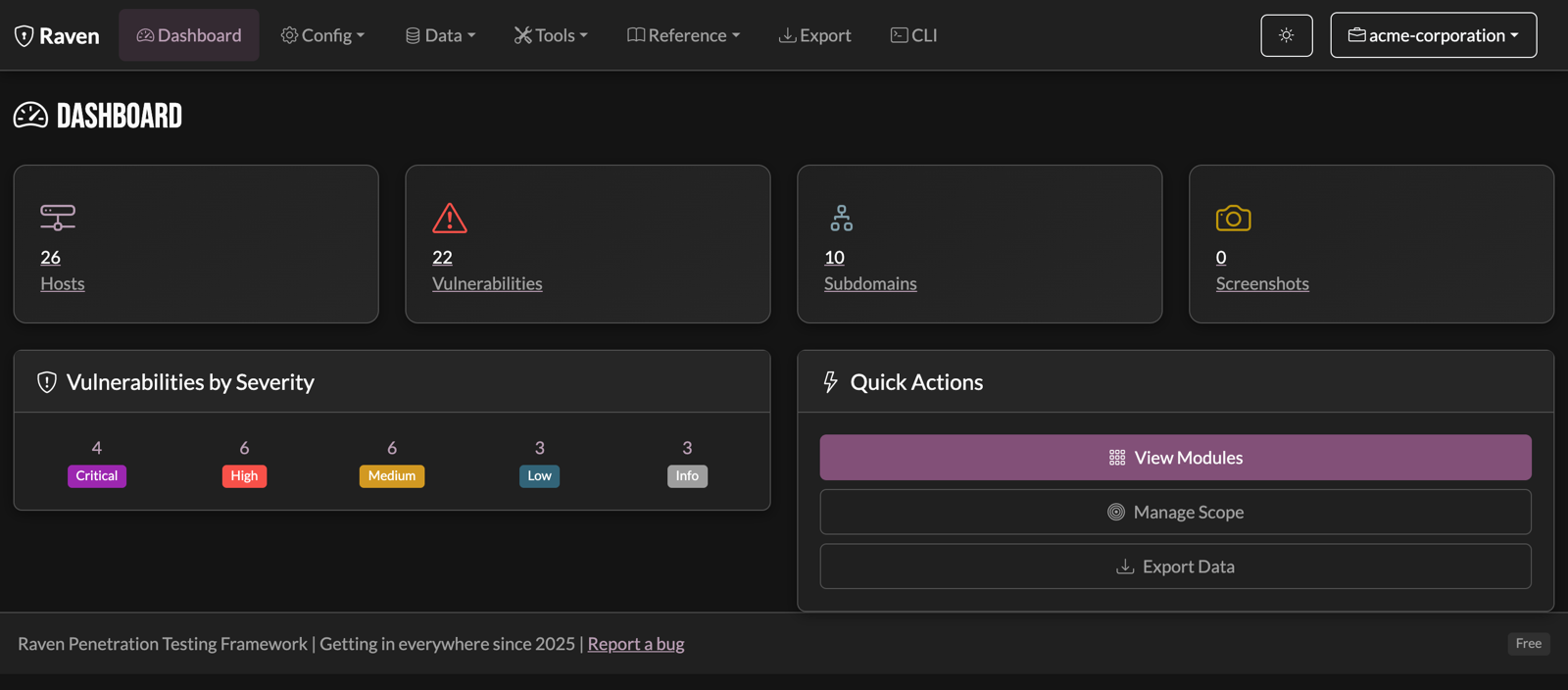
Raven dashboard: 26 hosts, 22 vulnerabilities, and a severity breakdown for an engagement

Built for pentesters, by pentesters

Run the whole engagement in one place — your data, your imports, your exports. Download it and go; the AI is optional.

Your whole engagement, one place

Findings, evidence, hosts, services, credentials, scope, and notes — tracked together from recon to report. It's your data, on your machine.

Import the tools you already run

Pull in Nessus, Burp, and raw scanner output. Everything lands in one normalized, severity-ranked view instead of scattered files on disk.

Export to your reporting flow

Push findings and evidence out to PlexTrac, Burp, CSV, PDF, or Obsidian — hand off to whatever you already use to write the report.

20+ integrated scanners

Nmap, Nuclei, SQLMap, Subfinder, Gowitness, Feroxbuster, and more — orchestrated from one UI with results auto-parsed into your findings.

Chain it into workflows

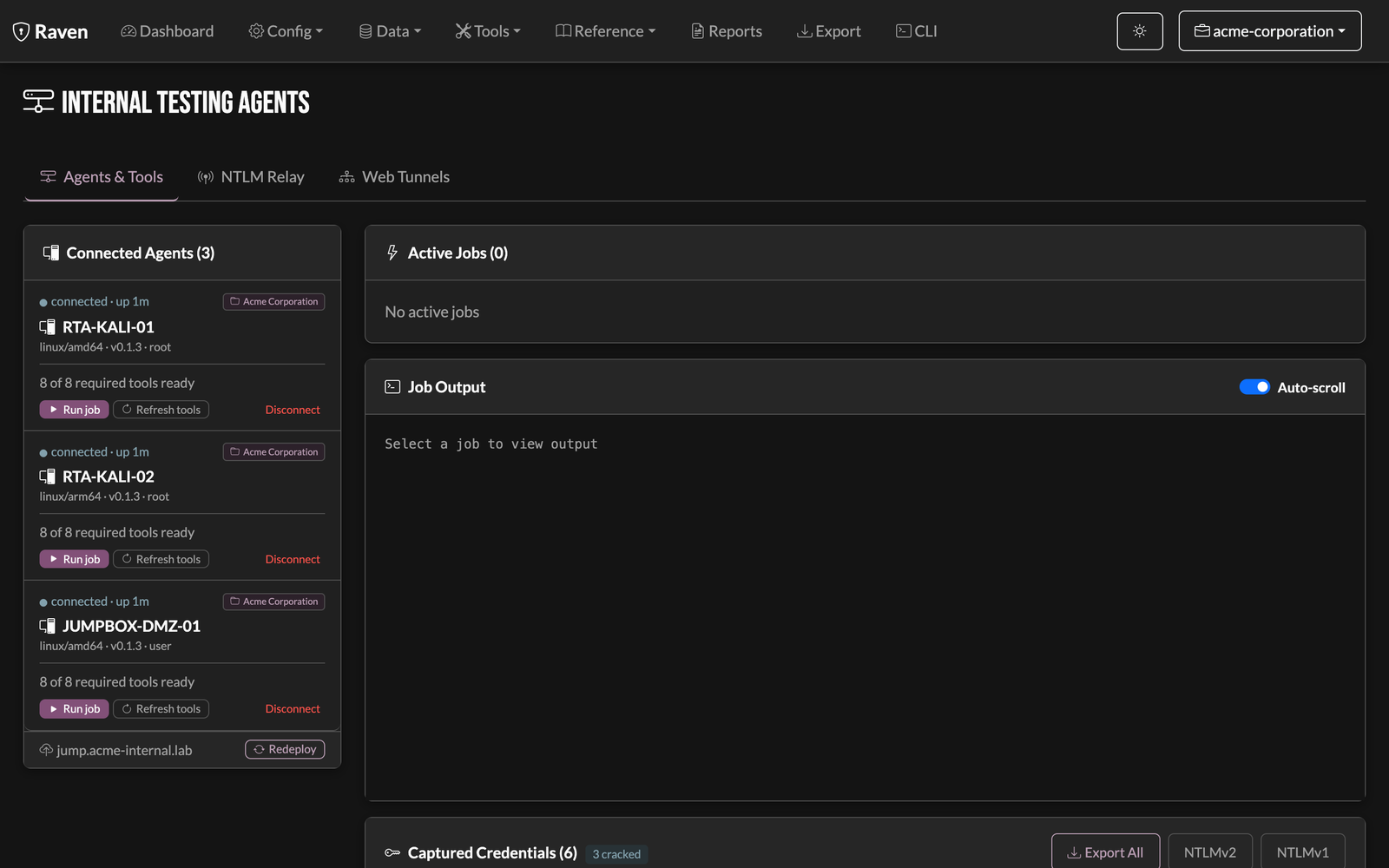
Turn a sequence of scans into a repeatable workflow — passive recon to HTTP probing to a Nuclei sweep. Deploy agents on your RTA for internal work, too.

2,100+ LOTL techniques

LOLBAS, GTFOBins, LOOBins, WADComs, LOLDrivers, and HijackLibs — searchable with MITRE mapping, without leaving the tool.

See it in action

One place for the whole engagement — your data, your imports, your findings, and your exports, without leaving the tool.

Your data

Every host, service, and credential in one place

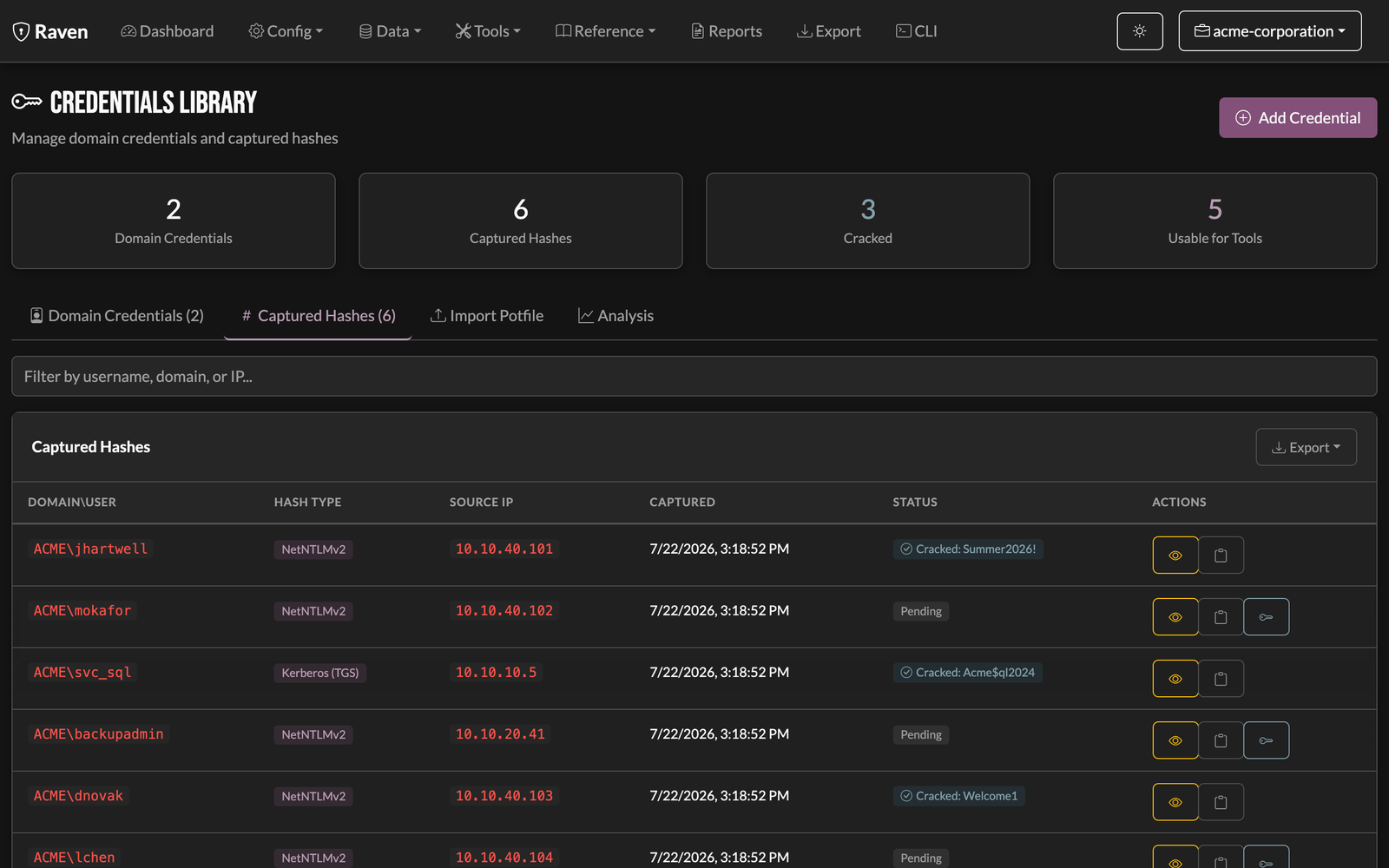
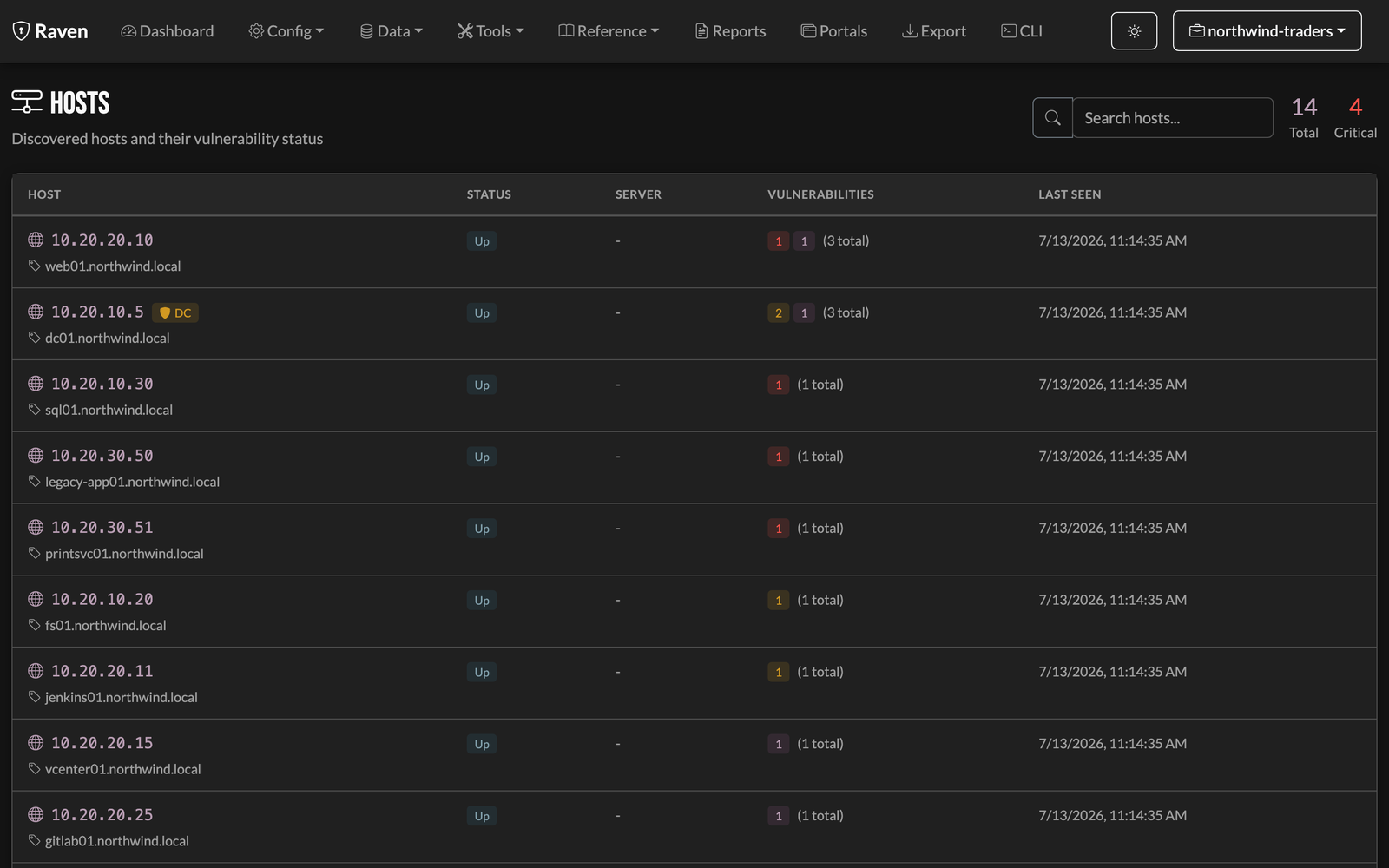
Hosts, ports, services, domains, credentials, and scope — tracked together and cross-linked. Click a host to see everything you've found on it.

Raven hosts view: a table of hosts with services, OS, and finding counts across the engagement
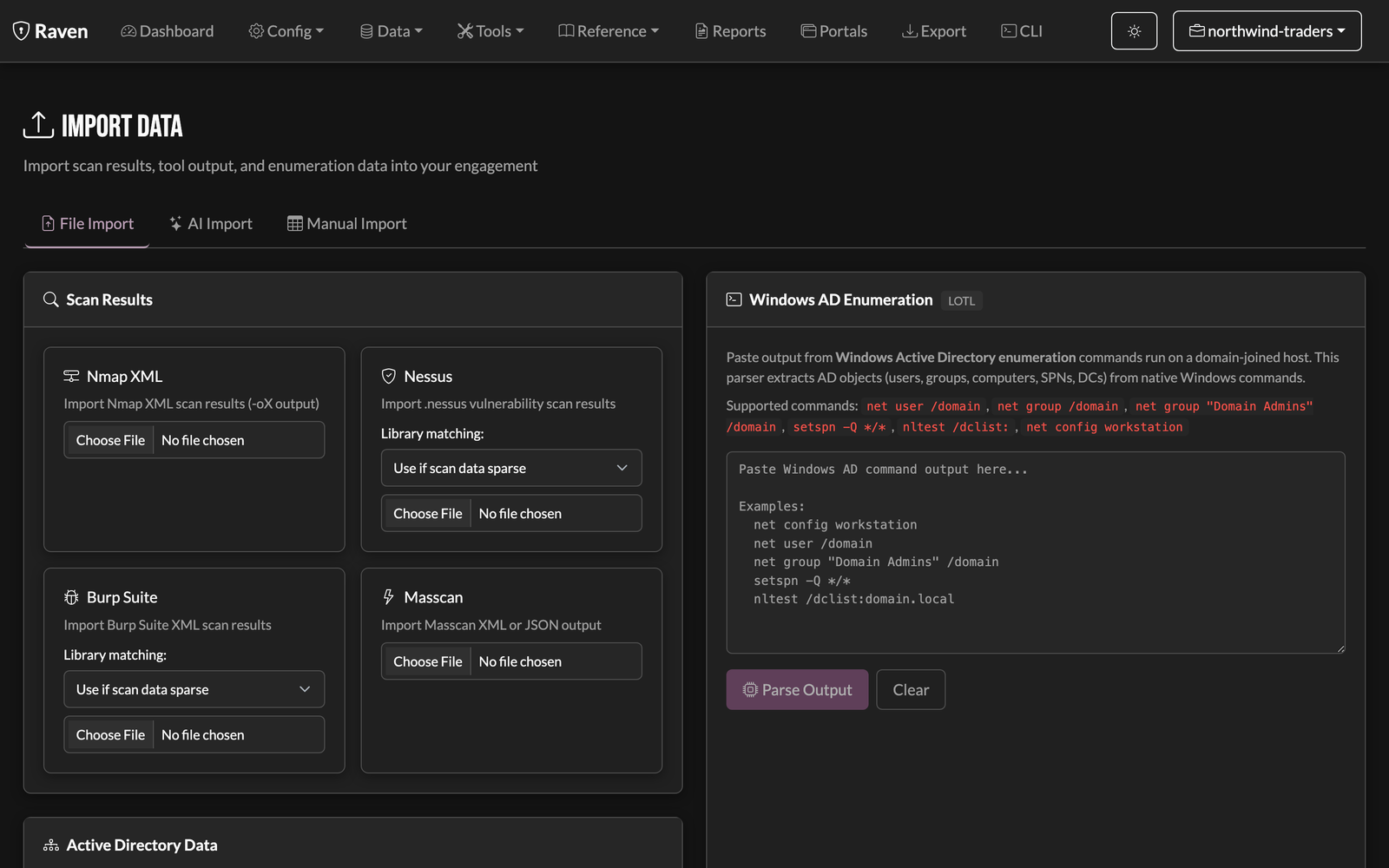
Import

Bring in the tools you already run

Import Nessus scans, Burp issues, and raw scanner output. Everything normalizes into the same severity-ranked findings — no scattered files and screenshots to chase.

Raven import view: pulling Nessus and Burp results into the engagement's findings
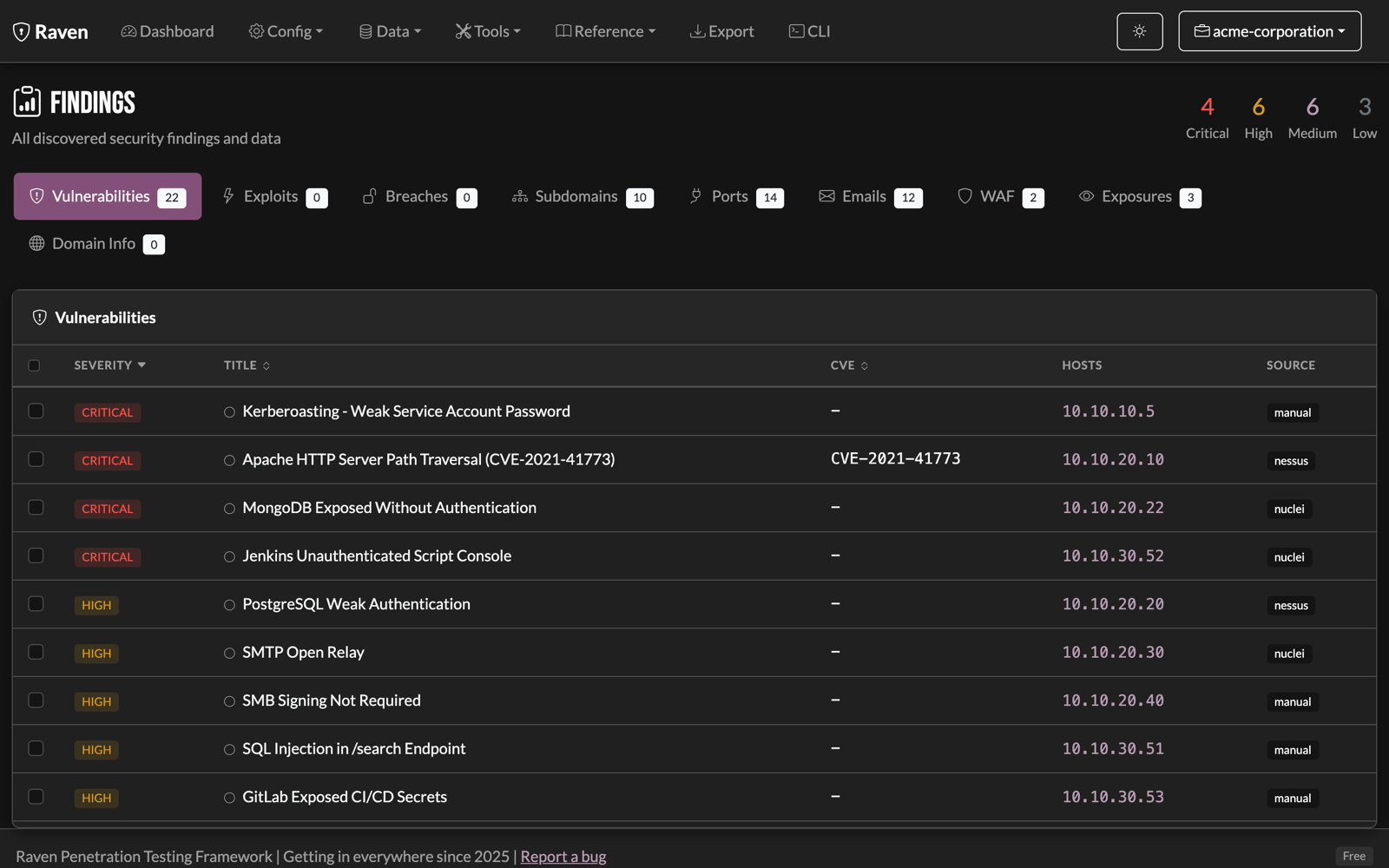
Findings

Every scanner's output, auto-parsed into one place

Nmap, Nuclei, Nessus, and manual findings land in one severity-ranked list with CVEs, affected hosts, and source. Ports, emails, and exposures are tracked right alongside — nothing to collate by hand.

Raven findings table with severity badges, CVEs, affected hosts, and scanner sources across 22 findings
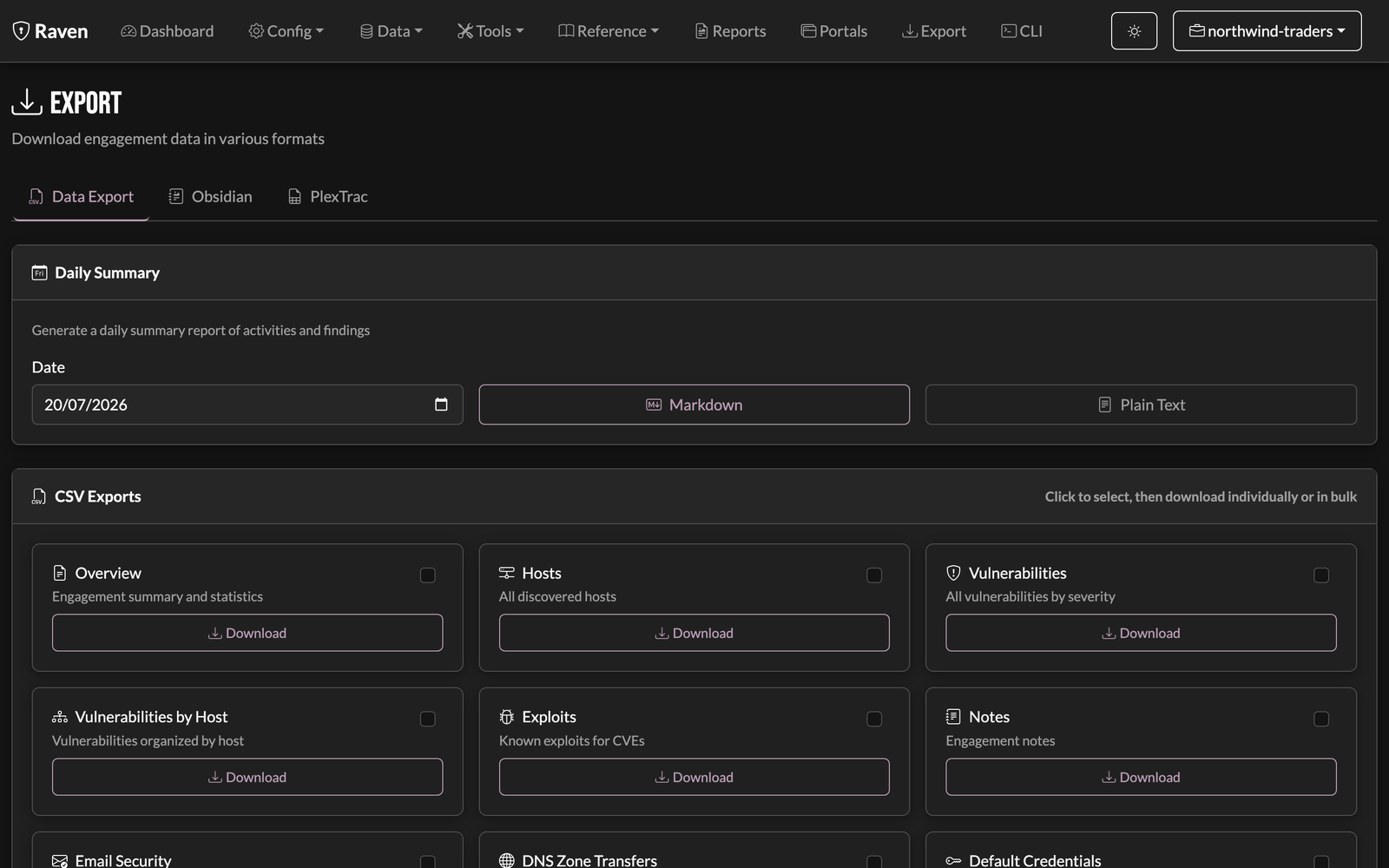
Export

Hand off to your reporting flow

Push findings and evidence out to PlexTrac, Burp, CSV, PDF, or Obsidian — drop straight into whatever you already use to write the report.

Raven export view: exporting findings and evidence to PlexTrac, CSV, Burp, and PDF
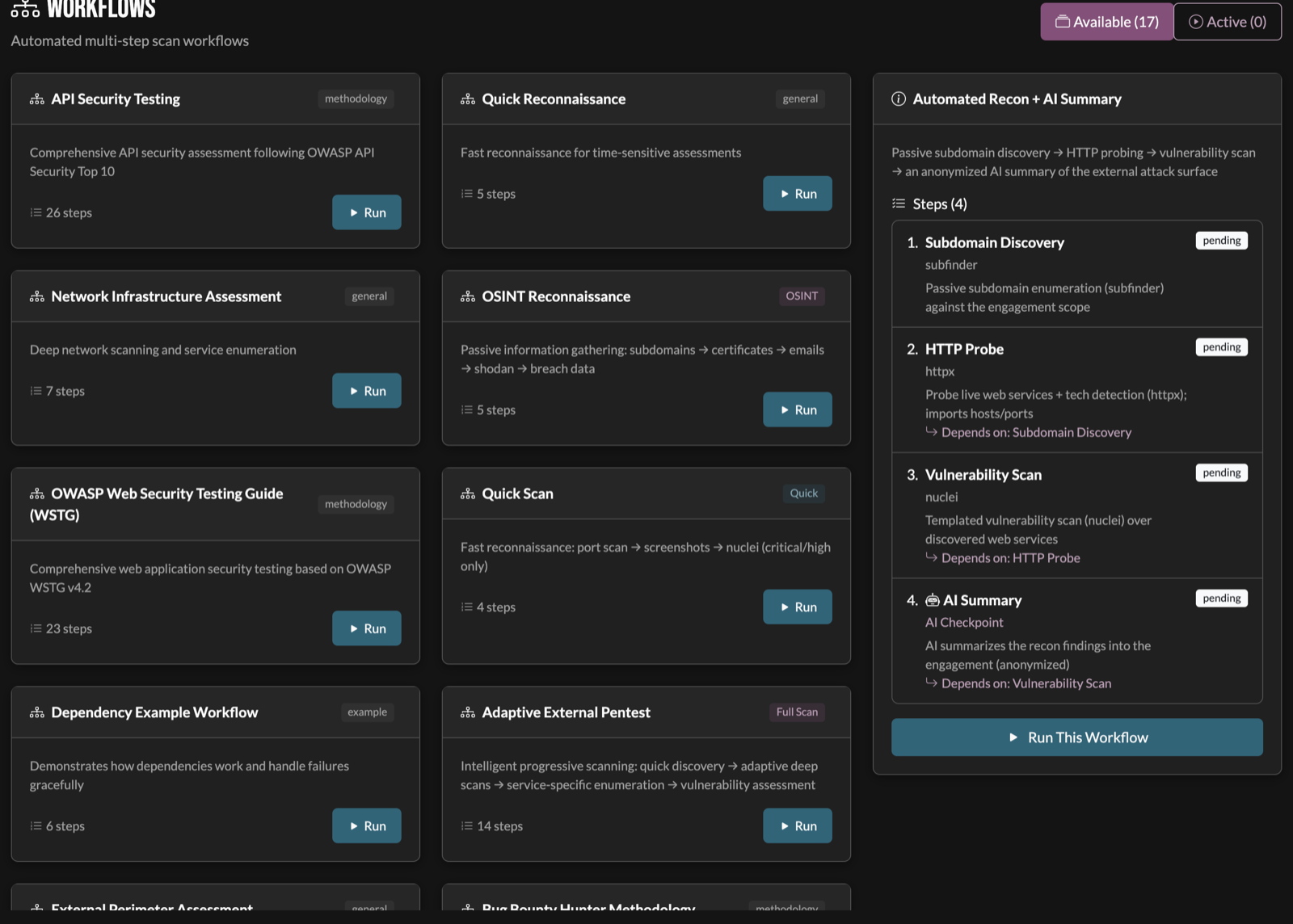
Automated workflows

Run the whole engagement, not one tool at a time

Chain scanners into a single run — passive subdomain discovery to HTTP probing to a Nuclei scan. Pick a template or build your own.

Raven workflows: multi-step scan templates with an Automated Recon workflow expanded into its steps
Optional AI layer

And when you want it, there's an AI layer.

Recon hints, analysis, a chat assistant, report narratives — optional, and metered by credits (or bring your own model for free).

AI analysis

Prompts and analysis, tuned to work together

Run it in Raven and the whole loop is tuned as one piece — our prompts, how your findings are fed in, and how the output comes back structured for your report. That's the combination we've refined on real engagements, not context pasted into a chatbot. Prefer your own AI account? You can still bring your own model: Raven hands you an anonymized copy-paste prompt, then de-anonymizes the answer when you paste it back.

Raven AI analysis view: model-written analysis and recommended next steps grounded in the engagement's findings

And it never sees your client's real data. Every hostname, IP, domain, and user becomes a placeholder before the request leaves your machine — here's the actual payload the model receives:

On your machine — in Raven
clientAcme Finance domainacmefinance.com hostDC01 ip10.10.14.22 accountACME\jsmith servicesvc_sql contactjsmith@acmefinance.com passwordSummer2024! ntlmaad3b435b514…:5f4dcc3b5aa7…
Leaves your machine — sent to the model
// the request body Raven sends to your AI model { "model": "‹your model›", "system": "‹ Raven analysis prompt — engineered in-house, kept private ›", "messages": [{ "role": "user", "content": "Client TARGET-CLIENT (target-domain-1.example). host host-1 at TARGET-IP-1 — SMB null session, dumped SAM. captured DOMAIN\user-1; cracked [REDACTED]. NTLM [REDACTED-HASH]. kerberoasted svc_account1. contact user1@target-domain-1.example. give findings-grounded next steps + a risk rating." }] }

Same engagement, two views. Every value that identifies your client is swapped for a stable placeholder before the request leaves your machine. Tooling context (SMB, NTLM, Kerberos) is kept so the model can still reason — while passwords and hashes are stripped one-way and never sent at all.

Hover or tap any value to trace it across the boundary.

The model answers in placeholders too — host-1, DOMAIN\user-1. Raven swaps your real names back in on your machine, before you read a word, so your findings and report say DC01 and ACME\jsmith. The lookup table never leaves your box — and the redacted secrets stay gone.

Prompt engineering

The intelligence is in the prompts, refined on real engagements.

Every AI action in Raven runs on prompts purpose-built for offensive security and refined across real engagements — so you get analysis grounded in your findings, not generic chatbot filler. Anonymized data goes out; how Raven turns it into sharp, report-ready work stays under the hood.

Grounded, not guessed

Constrained to your engagement's real findings, so recommendations map to what's actually on the wire — not a plausible-sounding hallucination.

Structured for your report

Output comes back in a shape your findings list and report templates consume directly — less reformatting, faster to the deliverable.

Tuned for pentest reasoning

Built around the methodology — recon, credentials, lateral movement — and hardened against prompt injection coming from raw tool output.

Lee Wangenheim
Creator of Raven. Working pentester. (hxfifty)

Why Raven exists

“I built this for me — to make my life as a pentester easier and keep my boss off my back. Then I sat back, looked at what it had become, and thought: every pentester should have this.”

Raven didn't start as a product. It started as my own engagement tooling: the scanners I run every week, the findings tracking I was doing by hand in spreadsheets, and an AI advisor that actually works with the engagement data instead of hallucinating over it. It was built to get the work done and the report out the door — not to be sold.

It got good enough that keeping it to myself started to feel selfish. So here it is: the same tool I use, packaged so you can too.
Want to try the AI features?

The framework is yours to run. AI is the one thing you pay for — and only when you use it. Every credit unlocks the full methodology; buy credits a la carte, or subscribe for a better rate.

See AI credits & pricing

Credits are metered and managed in the app — pay only for what you use. Running a team or agency? Talk to sales.

Get started in 30 seconds

Pick your platform — we'll show you what works.

I'm using:

Raven CLI

Standalone terminal client. Connect to any Raven server from your terminal — same REPL as the web UI, with AI chat. Download and connect; AI features draw from your credit balance.

~20 MB

Self-host (bare binary, no Docker)

For Kali / Mac-with-Homebrew pentesters who already have nmap, nuclei, etc. installed natively. Skip the 3 GB Docker image — download just the server binary, run raven-server start, web UI is up. Then pair with chamberdoor for AI features.

~30-55 MB

Docker Setup

1. Load the Docker image

docker load < raven-pro-amd64.tar.gz

2. Create the data folder

mkdir -p pentests auth

3. Run it

docker run -d --name raven --network host --restart unless-stopped \
  --cap-add=NET_RAW --cap-add=NET_ADMIN \
  -v $(pwd)/pentests:/home/raven/pentests \
  -v $(pwd)/auth:/home/raven/.raven \
  raven:pro-amd64

4. Open in your browser

open http://localhost:8080

5. Pair with your chamberdoor account to unlock AI (one-time)

docker exec -it raven raven auth login

Raven runs fully without this — scans, engagement data, the whole workflow. Pairing signs you in to your chamberdoor account so the AI features (chat, methodology, analysis, reports) can draw from your credit balance. The CLI prints a URL; open it, sign in, confirm the device.

CLI Setup

Optional standalone client. Connect to your Raven server from any terminal.

1. Make it executable (macOS: remove quarantine first)

xattr -d com.apple.quarantine raven-cli-pro-darwin-arm64
chmod +x raven-cli-pro-darwin-arm64
sudo mv raven-cli-pro-darwin-arm64 /usr/local/bin/raven

2. Connect to your server

raven -s localhost:8080

3. Or connect to a remote server

raven -s your-server-ip:8080