Scanning & Data Import
Start in Testing → Testing workspace to choose the relevant assets and action, or open Tools for personal commands and Bundled modules for the existing catalog. Pick a module, set its options, review the targets and execution location, then run it. Supported results are parsed into the engagement's hosts, services, and findings. The REPL provides terminal testing commands against the same server.
The individual Docker image bundles tools, wordlists, templates, and a local agent for the shipped catalog, with no in-app tool installation step. The bare binary uses tools installed on its host. Target credentials, third-party API keys, and network access still depend on the check. See Install Raven.
Modules
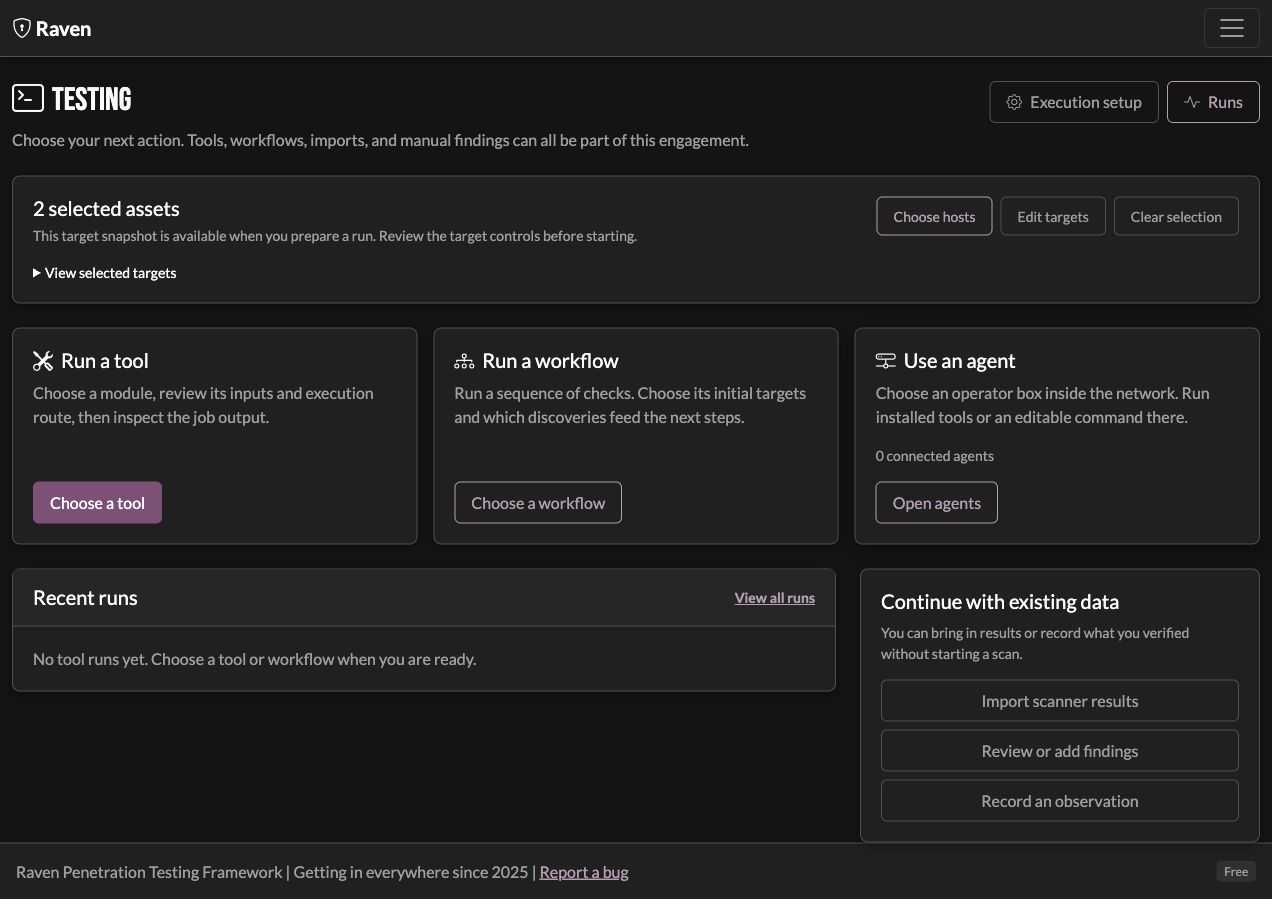
Modules are grouped into tabs on the Modules page. The exact set grows over time; the page itself is the authoritative list. As of the current beta:
- Discovery: Host Discovery, Port Scanner (nmap, with quick/balanced/thorough profiles), Fingerprinting, SSL Certificates, WAF Detection, Git Exposure, API Discovery, FTP Enumeration, Screenshots.
- OSINT: Sublist3r, Certificate Transparency, Email Harvesting, Breach Data, Wayback Machine, GitHub Dorking, Shodan Host / Search.
- Scanning: Nuclei Scanner, SSL/TLS Scanner, Email Security (SPF/DMARC/DKIM), DNS Zone Transfer, WHOIS, Typosquatting Detection, Directory Brute Force (FFUF).
- Exploitation: Default Credentials Testing.
- Internal (internal and mixed engagements): DC Discovery, SMB Signing Check, SMB Enumeration, LDAP Enumeration, Password Spray, LDAP Signing Check, AS-REP Roasting, Kerberoasting, Auth Coercion, BloodHound Collection.
- Utility: Custom Command, and other helpers.
Each module exposes its own options in the run form (scan profile, target selection, rate limits, wordlists, and so on). There's no need to memorize flags.
Use Help on an individual module card for its module reference: target source, prerequisites, execution route, results, and what to inspect when it produces no result. The bundled Host Discovery card uses Nmap liveness probes. A personal HTTP-status tool offered in that position is a different check; matching the card does not make the two commands equivalent.
Raw-socket scans need capabilities
SYN scans and similar need --cap-add=NET_RAW --cap-add=NET_ADMIN on the container (or the equivalent capability on the bare binary). See Troubleshooting.
Importing existing scans
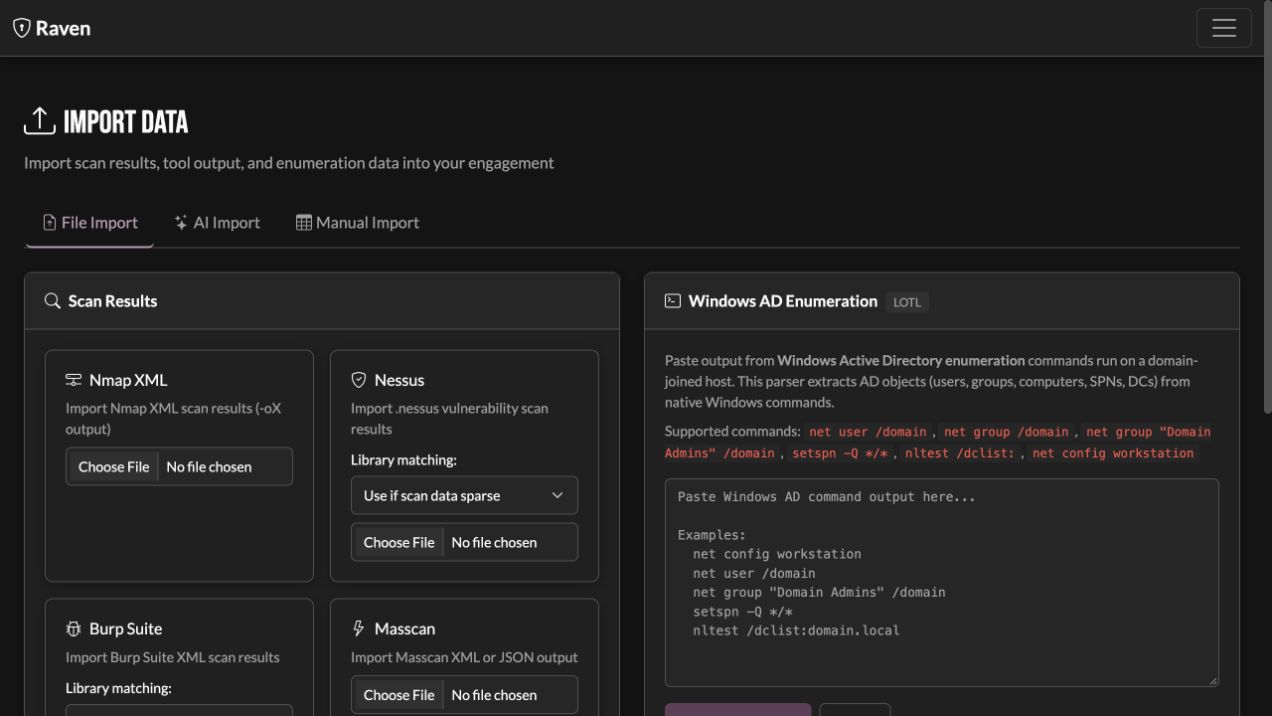
If you've already scanned with another tool, import the output from the Import page rather than re-running. Supported formats:
| Source | Format |
|---|---|
| Nmap | XML (-oX output) |
| Nessus | .nessus |
| Burp Suite | XML |
| Masscan | XML / JSON |
| BloodHound | collection ZIP / JSON |
Imported hosts, services, and findings merge into the current engagement and de-duplicate against what's already there.
Jobs
Modules run as background jobs. Runs tracks status and per-job output for review and troubleshooting, including supported remote execution. Inspect the output and exit status before deciding what a result demonstrates. See Testing Workspace for smart-scoped workflows and finding retests, and Remote Agent for operator-box execution.
Workflows and smart scoping
A workflow can pass discoveries between supported steps, such as a port scan followed by GoWitness on discovered web services. Choose its initial targets and whether later service-based checks use this workflow's discoveries or existing engagement discoveries. A step with no matching service can be skipped. Review the steps and recorded inputs; custom commands need their own target review. The workflow follows your testing plan, rather than prescribing the same tests for every engagement.
Best practices
Scan order. Choose the profile, templates, rate limits, and testing window that fit the agreed scope and impact. Start with the discoveries that inform later checks. A tool's name alone does not determine how intrusive its run is.
Reduce noise. Import what you already have and let de-duplication do its job rather than re-scanning. Triage by severity (Critical/High first) and mark false positives so they stop cluttering the view.
Respect the engagement. Use a module's rate-limit options on bandwidth-sensitive networks, and schedule heavy scans for agreed windows. Document what was and wasn't scanned in Notes so the report reflects reality.
Once you've collected data, the AI Analysis advisor can reason over it: suggest next steps, consolidate duplicates, and draft write-ups.