Testing Windows
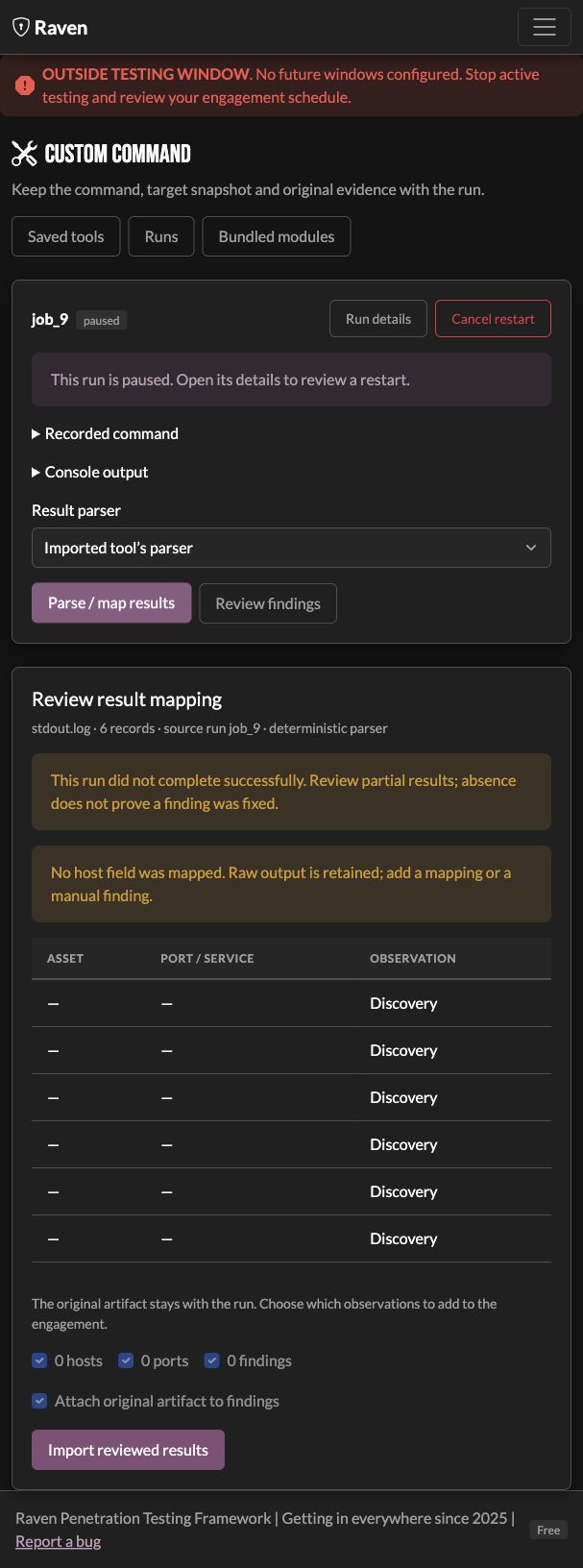
Testing windows describe the client-approved times for an engagement. Configure Settings → Engagement → Testing Windows, enable the card, add recurring or one-off windows, and save. Recurring windows use a named timezone so daylight saving changes follow that timezone. Raven displays opening times in your local time.
Choose enforcement
| Setting | Outside the window | At closing |
|---|---|---|
| Warn only | Shows the window banner; launches remain available | Running commands continue |
| Enforce window | Refuses new execution | Requests a stop for managed commands and retains their partial output |
The end time is outside the window. Overlapping windows keep execution eligible until the last applicable window closes. The scheduler checks each run's owning engagement, even when you are viewing a different engagement.
Start when the window opens
Choose Start when window opens while preparing a supported tool or module. Review its targets, execution machine, and command before queueing it. A queued run does not execute early, including in Warn only mode. It starts when an eligible window opens, provided its saved inputs and executor are still usable.
Open Runs → Review run to inspect the recorded command or cancel the queue. The manual start action still checks an enforced window. Scheduled commands whose saved execution details can be restored survive a Raven restart; entries that cannot be restored show an error and need fresh preparation.
After a window closes
When the next window opens controls interrupted runs:
- Wait for review is the default. The stopped run remains paused. Review it in Runs, then restart an eligible command or prepare another check.
- Automatically restart eligible interrupted commands starts a new attempt after reopening. The command's outputs must be isolatable and the previous worker must have confirmed its exit. Other commands need fresh preparation.
A restart repeats the saved command; it is not a tool checkpoint resume and may repeat completed checks. The new attempt has its own job and output directory. The original partial artifacts remain attached to the original run. Deliberately queued first launches start automatically under either reopening setting.
Execution requirements
Enforcement requires the Raven controller to be running. Local subprocesses are stopped as a process group, including their children. Connected Raven agents confirm process exit before an interrupted run becomes eligible to restart. Stopping takes time: the scheduler requests a stop at the boundary, then gives the process a short termination grace period before forcefully stopping it. An exact remote hard deadline is not guaranteed.
A lost agent connection can leave a command running; Raven keeps that stop unresolved and prevents an overlapping restart. Executor-local deadline enforcement during a controller outage is not available yet.
Direct SSH jumpbox execution cannot currently verify that every remote child process has stopped. Strict enforcement refuses those launches; use a local process or a connected Raven agent instead. SSH execution remains available with windows disabled or in warning mode. An SSH command already running when enforcement is enabled receives a stop request, but its stop remains unconfirmed and it cannot automatically restart or be included in an engagement transfer. Supported tools executing locally through a SOCKS proxy still use the local process-group boundary.
Python workers running inside the Raven server cannot be independently stopped. Unsupported in-process launches are refused under strict window enforcement. Commands started outside Raven are not managed by its scheduler.
If the approved schedule changes, update and save the windows. Use Warn only when you deliberately want timing warnings without stopping execution. Pair windows with Scope to configure the targets as well as the allowed times.